Types of Cloud Storage Explained (Public, Private & Hybrid)
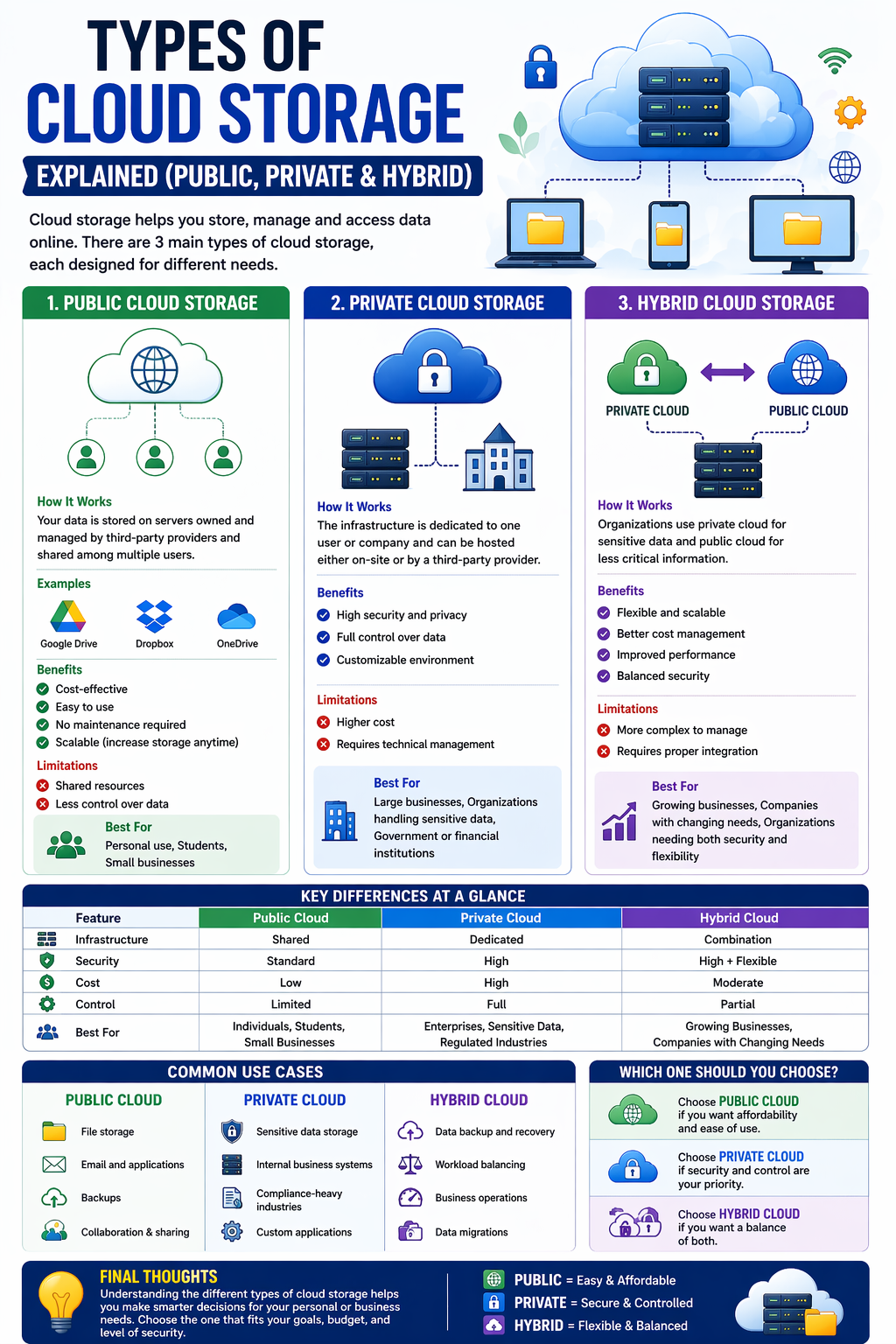
Cloud storage has become an essential part of modern technology, helping individuals and businesses store, manage, and access data easily. But not all cloud storage is the same. There are different types designed for different needs.
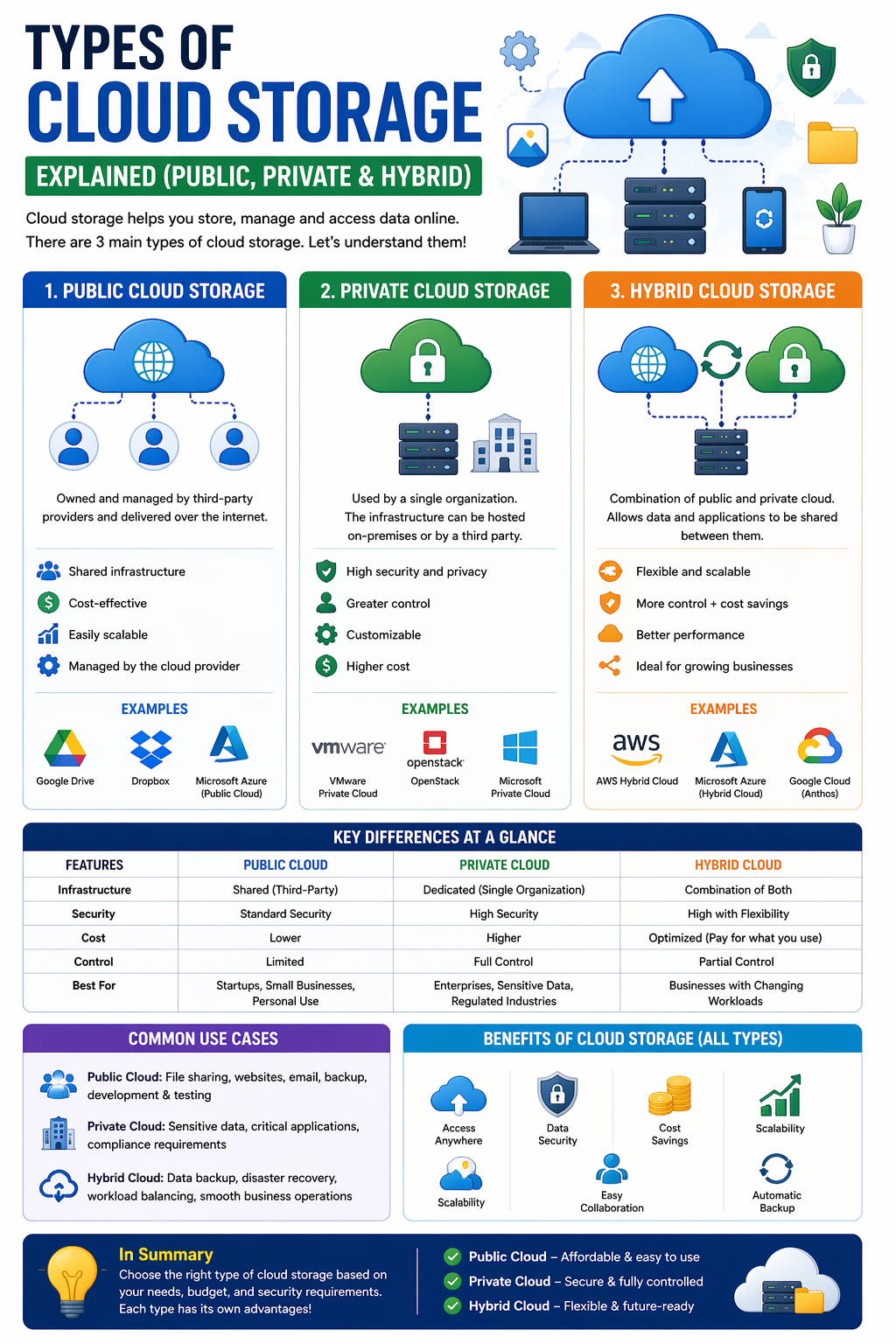
In this guide, we’ll explain the three main types of cloud storage—Public, Private, and Hybrid—in a simple and easy-to-understand way.
What is Cloud Storage? (Quick Overview)
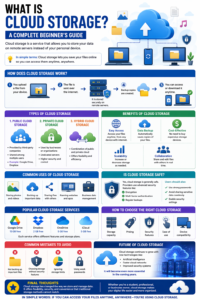
Cloud storage allows you to store your data on remote servers instead of your local device. You can access your files anytime through the internet.
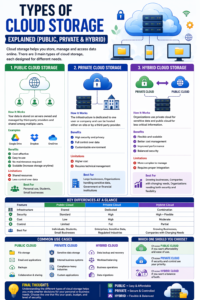
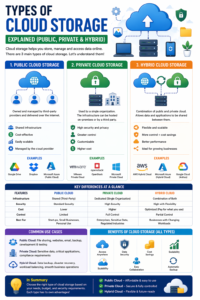
1. Public Cloud Storage
Public cloud storage is the most common type used by individuals and small businesses.
How It Works
Your data is stored on servers owned and managed by third-party providers. These servers are shared among multiple users.
Examples
- Google Drive
- Dropbox
- Microsoft OneDrive
Benefits
- Cost-effective
- Easy to use
- No maintenance required
- Scalable (increase storage anytime)
Limitations
- Shared resources
- Less control over data
Best For
- Personal use
- Students
- Small businesses
2. Private Cloud Storage
Private cloud storage is designed for a single organization. It offers more control, security, and customization.
How It Works
The infrastructure is dedicated to one user or company and can be hosted either on-site or by a third-party provider.
Benefits
- High security and privacy
- Full control over data
- Customizable environment
Limitations
- Higher cost
- Requires technical management
Best For
- Large businesses
- Organizations handling sensitive data
- Government or financial institutions
3. Hybrid Cloud Storage
Hybrid cloud storage is a combination of public and private cloud systems.
How It Works
Organizations use private cloud for sensitive data and public cloud for less critical information.
Benefits
- Flexible and scalable
- Better cost management
- Improved performance
- Balanced security
Limitations
- More complex to manage
- Requires proper integration
Best For
- Growing businesses
- Companies with changing needs
- Organizations needing both security and flexibility
Key Differences at a Glance
| Feature | Public Cloud | Private Cloud | Hybrid Cloud |
|---|---|---|---|
| Infrastructure | Shared | Dedicated | Combination |
| Security | Standard | High | High + Flexible |
| Cost | Low | High | Moderate |
| Control | Limited | Full | Partial |
| Best For | Individuals | Enterprises | Growing Businesses |
Common Use Cases
Public Cloud
- File storage
- Backups
- Email and apps
Private Cloud
- Sensitive data storage
- Internal business systems
- Compliance-heavy industries
Hybrid Cloud
- Data backup and recovery
- Workload balancing
- Business operations
Which One Should You Choose?
Your choice depends on your needs:
- Choose public cloud if you want affordability and ease of use
- Choose private cloud if security and control are your priority
- Choose hybrid cloud if you want a balance of both
Final Thoughts
Understanding the different types of cloud storage helps you make smarter decisions for your personal or business needs.
Each type—public, private, and hybrid—has its own strengths. The key is to choose the one that fits your goals, budget, and level of security.
In simple words:
Public = Easy & Affordable
Private = Secure & Controlled
Hybrid = Flexible & Balanced





Post Comment