What is Cloud Storage? A Complete Beginner’s Guide
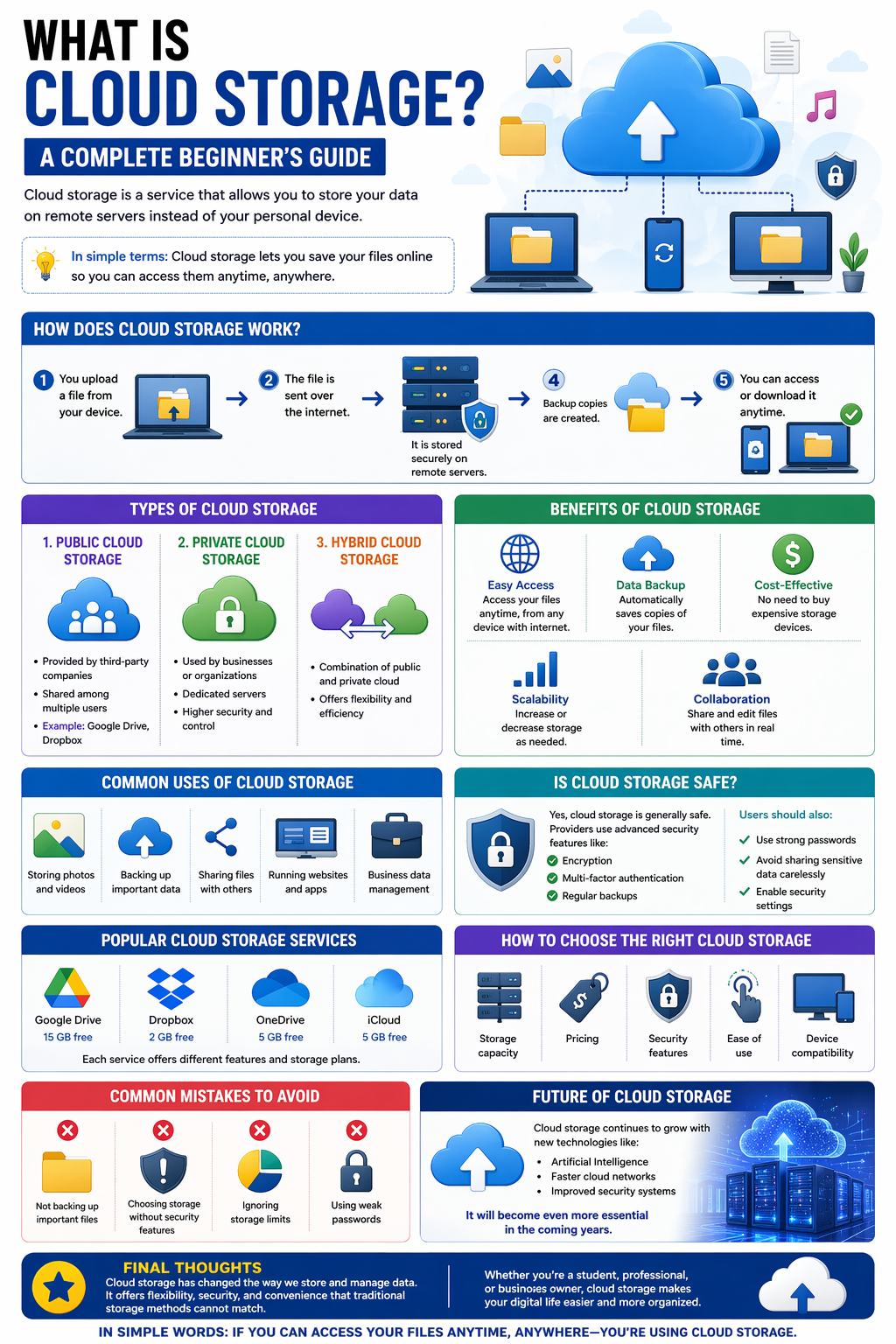
In today’s digital world, we create and store a huge amount of data every day—photos, videos, documents, and more. But storing everything on your phone or computer is not always safe or convenient. That’s where cloud storage comes in.
This beginner-friendly guide will help you understand what cloud storage is, how it works, and why it’s so important.
What is Cloud Storage?
Cloud storage is a service that allows you to store your data on remote servers instead of your personal device. These servers are managed by cloud providers and can be accessed through the internet.
In simple terms:
Cloud storage lets you save your files online so you can access them anytime, anywhere.
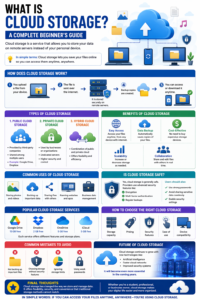
How Does Cloud Storage Work?
Cloud storage works through a network of powerful servers located in data centers.
Here’s how it works step by step:
- You upload a file from your device
- The file is sent over the internet
- It is stored securely on remote servers
- Backup copies are created
- You can access or download it anytime
This process happens within seconds.
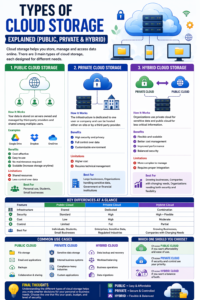
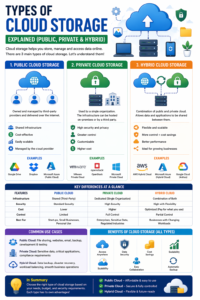
Types of Cloud Storage
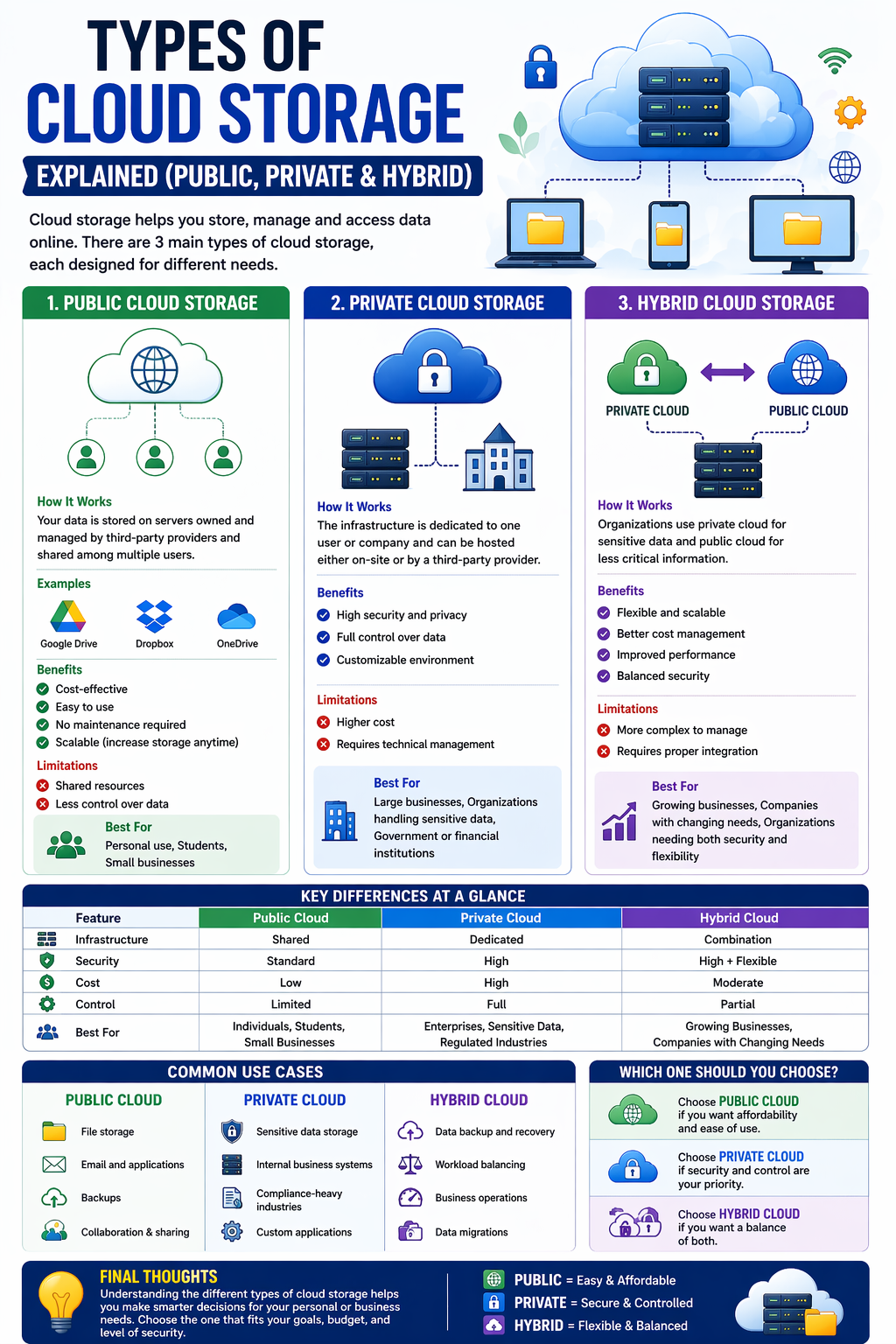
1. Public Cloud Storage
- Provided by third-party companies
- Shared among multiple users
- Example: Google Drive, Dropbox
2. Private Cloud Storage
- Used by businesses or organizations
- Dedicated servers
- Higher security and control
3. Hybrid Cloud Storage
- Combination of public and private cloud
- Offers flexibility and efficiency
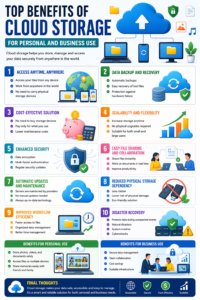
Benefits of Cloud Storage
Easy Access
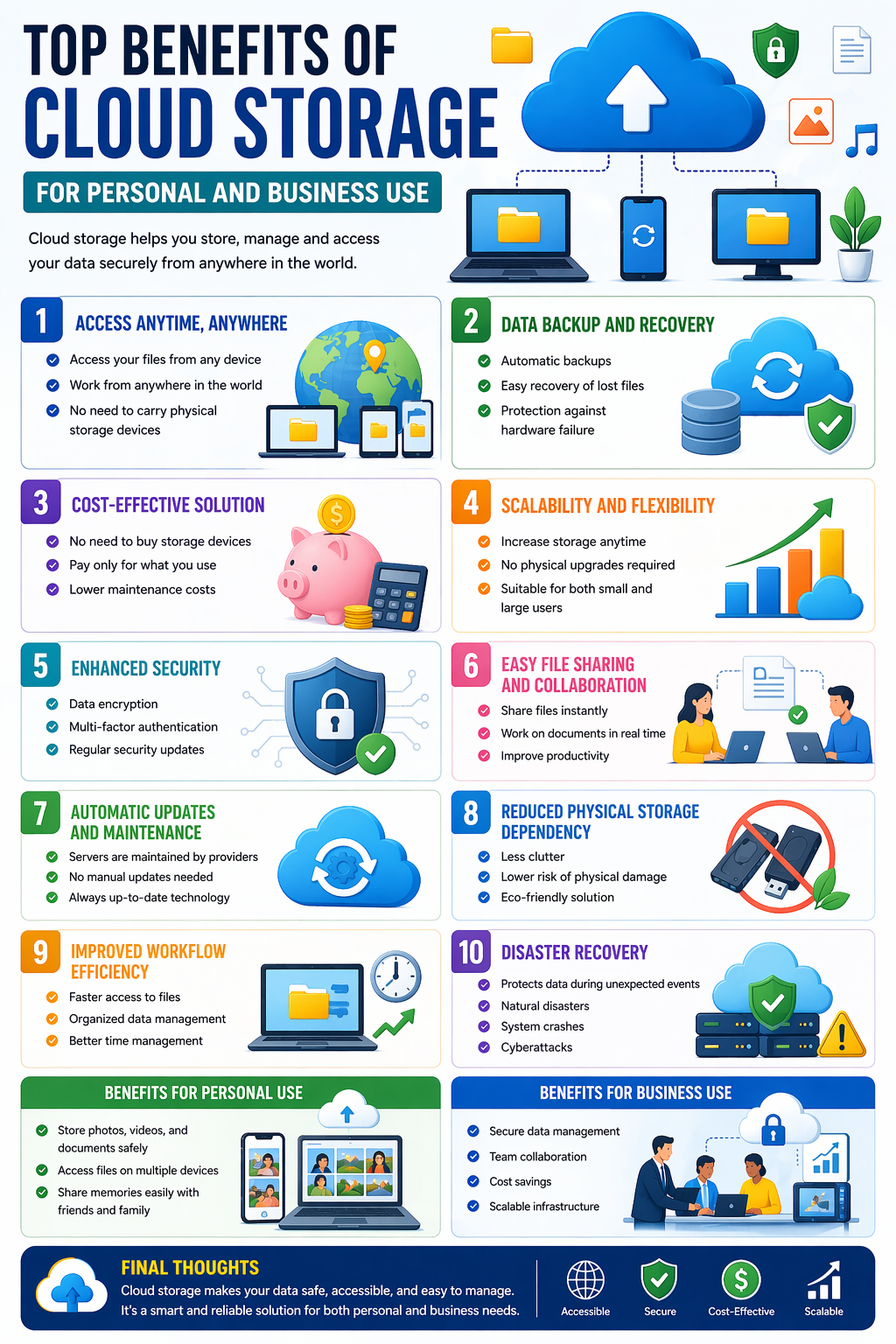
Access your files anytime, from any device with internet.
Data Backup
Automatically saves copies of your files.
Cost-Effective
No need to buy expensive storage devices.
Scalability
Increase or decrease storage as needed.
Collaboration
Share and edit files with others in real time.
Common Uses of Cloud Storage
- Storing photos and videos
- Backing up important data
- Sharing files with others
- Running websites and apps
- Business data management
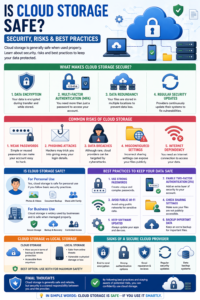
Is Cloud Storage Safe?
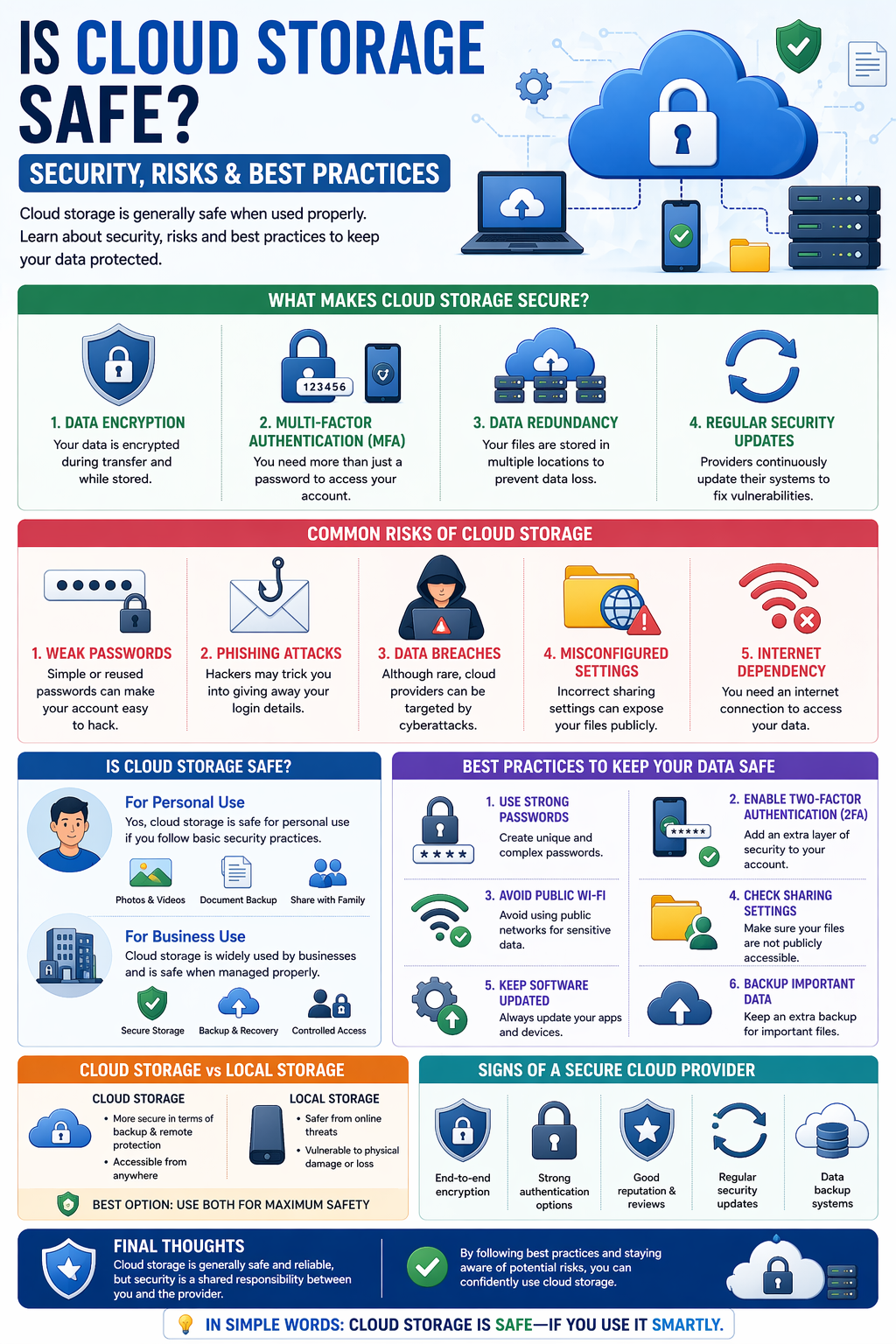
Yes, cloud storage is generally safe. Providers use advanced security features like:
- Encryption
- Multi-factor authentication
- Regular backups
However, users should also:
- Use strong passwords
- Avoid sharing sensitive data carelessly
- Enable security settings
Popular Cloud Storage Services
Some widely used platforms include:
- Google Drive
- Dropbox
- Microsoft OneDrive
- iCloud
Each service offers different features and storage plans.
How to Choose the Right Cloud Storage
Consider these factors:
- Storage capacity
- Pricing
- Security features
- Ease of use
- Device compatibility
Common Mistakes to Avoid
- Not backing up important files
- Choosing storage without security features
- Ignoring storage limits
- Using weak passwords
Future of Cloud Storage
Cloud storage continues to grow with new technologies like:
- Artificial Intelligence
- Faster cloud networks
- Improved security systems
It will become even more essential in the coming years.
Final Thoughts
Cloud storage has changed the way we store and manage data. It offers flexibility, security, and convenience that traditional storage methods cannot match.
Whether you’re a student, professional, or business owner, cloud storage makes your digital life easier and more organized.
In simple words:
If you can access your files anytime, anywhere—you’re using cloud storage.





Post Comment