How to Start a Blog on WordPress (Step-by-Step)
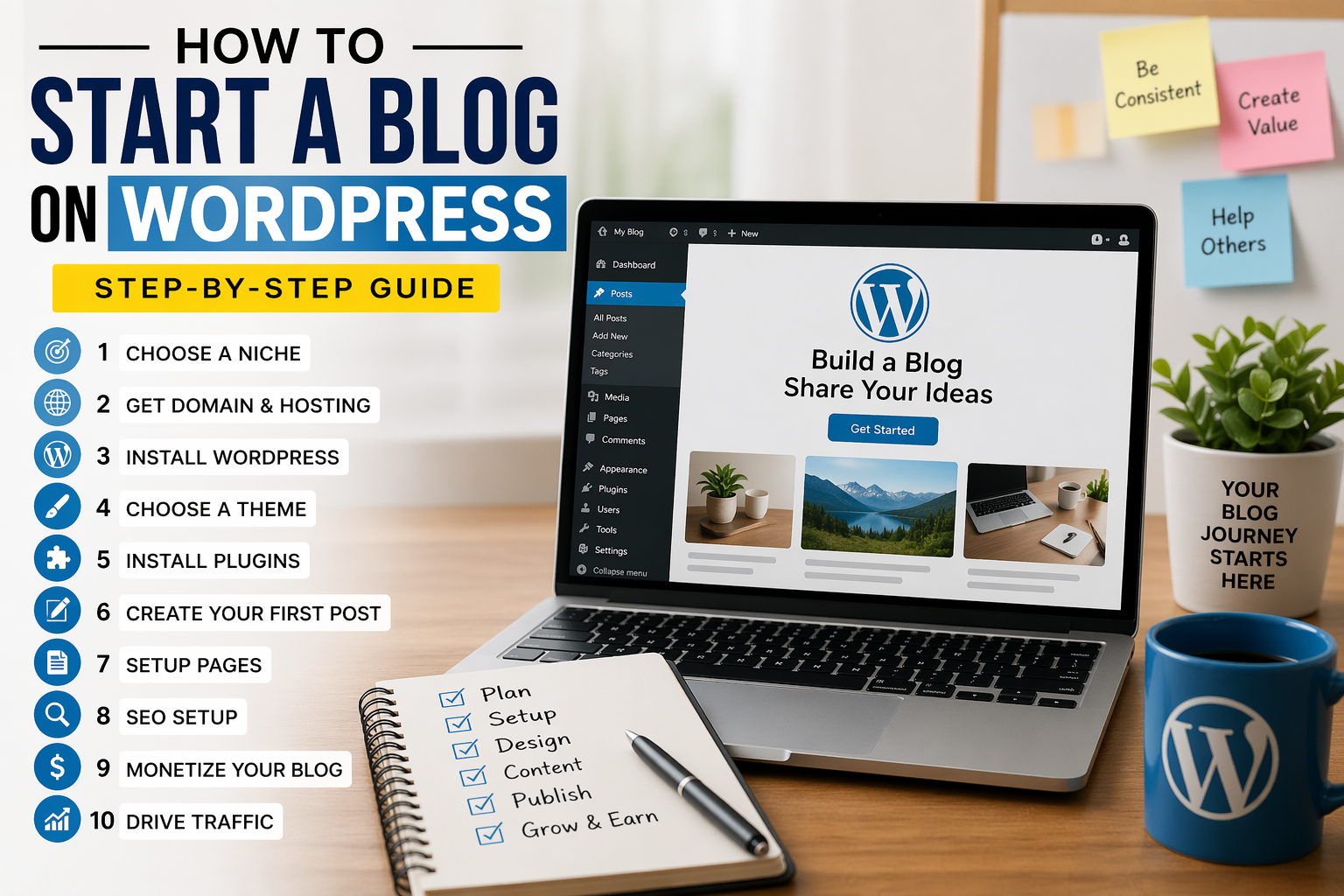
Starting a blog today is easier than ever—and using WordPress makes the process beginner-friendly, powerful, and scalable. Whether you want to earn money, build a personal brand, or share your knowledge, this step-by-step guide will help you launch your blog the right way.
🚀 Step 1: Choose Your Blog Niche
Before creating your blog, decide what topic you want to focus on. This is called your niche.
Popular niches include:
- Technology
- Health & Fitness
- Online Earning
- Lifestyle
- Education
👉 Tip: Pick something you’re interested in AND that people search for.
🌐 Step 2: Get a Domain Name & Hosting
To start your blog, you need:
- Domain Name (your website name like example.com)
- Web Hosting (where your website lives online)
Recommended hosting providers:
- Bluehost
- Hostinger
- SiteGround
👉 Many hosting companies offer free domain + one-click WordPress install
⚙️ Step 3: Install WordPress
Most hosting providers give you 1-click installation for WordPress.
Steps:
- Login to your hosting account
- Find “Install WordPress”
- Enter your site name & login details
- Click Install
✅ Done! Your blog is now live 🎉
🎨 Step 4: Choose a Theme (Design Your Blog)
Themes control how your blog looks.
Free themes:
- Astra
- GeneratePress
- Neve
You can install themes directly from your WordPress dashboard:
Dashboard → Appearance → Themes → Add New
🔌 Step 5: Install Important Plugins
Plugins add features to your blog.
Must-have plugins:
- SEO plugin (like Yoast SEO)
- Security plugin
- Cache plugin (for speed)
- Contact form plugin
👉 Don’t install too many plugins (it slows your site)
✍️ Step 6: Create Your First Blog Post
Now it’s time to write content!
Steps:
- Go to Posts → Add New
- Write your title
- Add content (text, images, headings)
- Click Publish
👉 Write helpful, original, and easy-to-read content
📄 Step 7: Create Important Pages
To look professional (and for approval like ads), create these pages:
- Privacy Policy
- Terms & Conditions
- Disclaimer
- About Us
- Contact Us
🔍 Step 8: Basic SEO Setup
SEO helps your blog rank on Google.
Basic tips:
- Use keywords in title
- Write long, helpful content
- Add headings (H1, H2, H3)
- Optimize images
- Use SEO plugin
💰 Step 9: Monetize Your Blog
Once you get traffic, you can earn money:
- Google AdSense
- Affiliate Marketing
- Sponsored Posts
- Selling digital products
📈 Step 10: Drive Traffic to Your Blog
Without traffic, blog = no earnings ❌
Best traffic sources:
- Google (SEO)
- TikTok
👉 Stay consistent and post regularly
🎯 Final Thoughts
Starting a blog with WordPress is one of the best ways to build an online income or personal brand. It may feel confusing at first, but if you follow these steps, you can launch your blog in just a few hours.
✅ Pro Tips for Success
- Focus on quality content
- Be consistent (post regularly)
- Learn SEO basics
- Be patient (results take time)



Post Comment